👨🚀
How to Send Sang Guan Oil Mill Electric Meter data to Thingspeak
Thingspeak setup
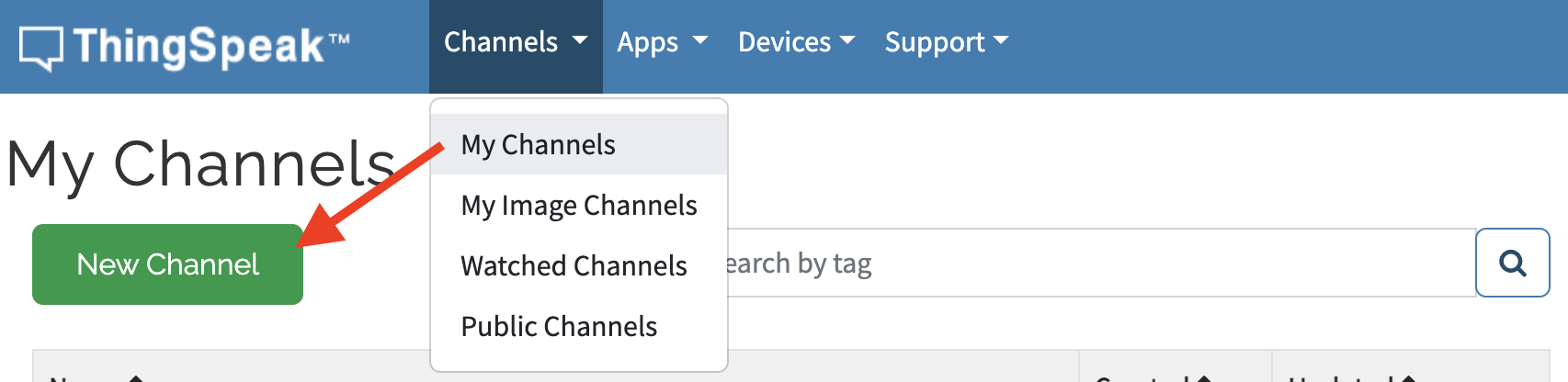
- Log in Thingspeak, go to Channels dropdown > select a My Channels > click New Channel button
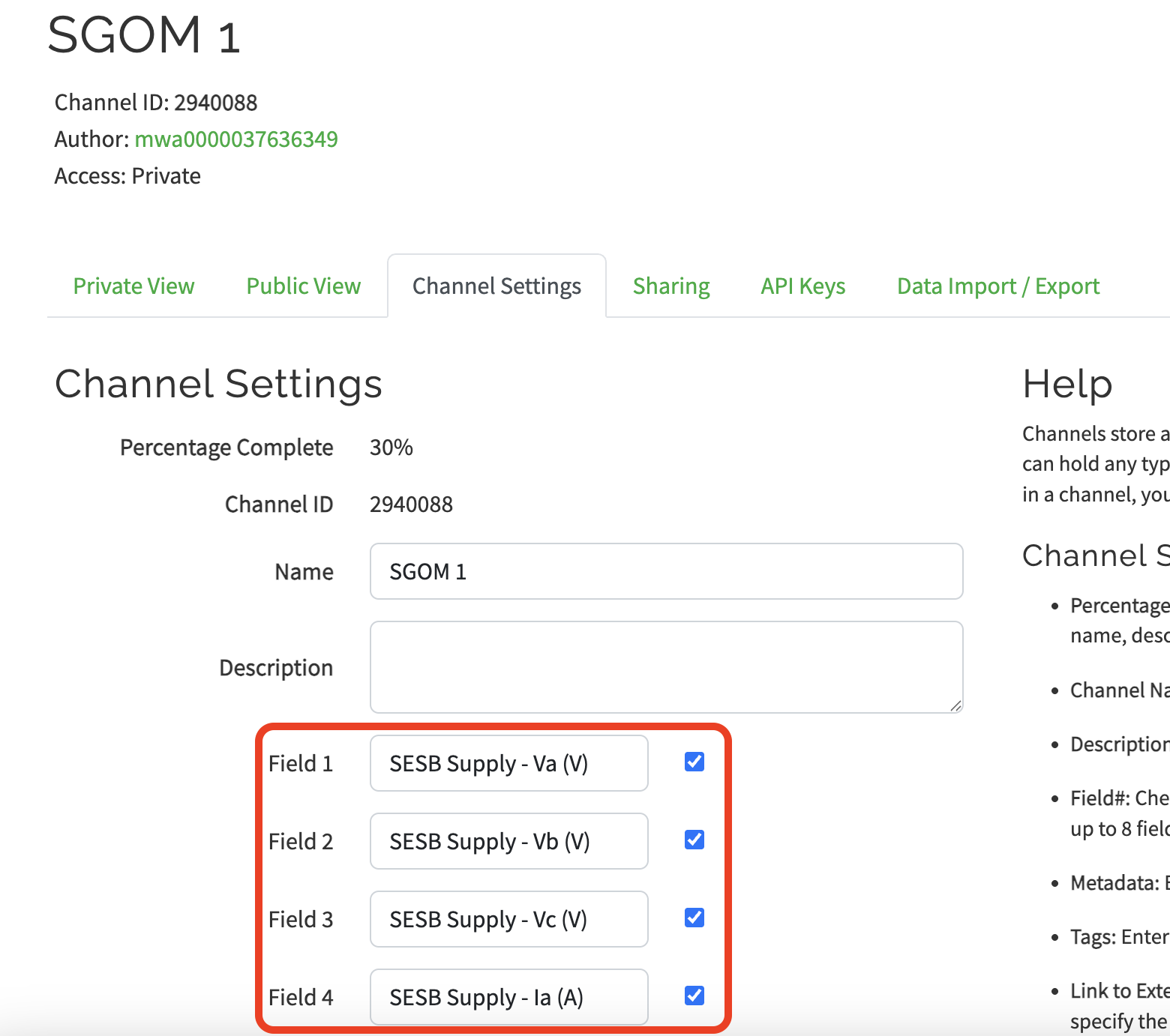
- Fill in the Channel Fields, example as below:
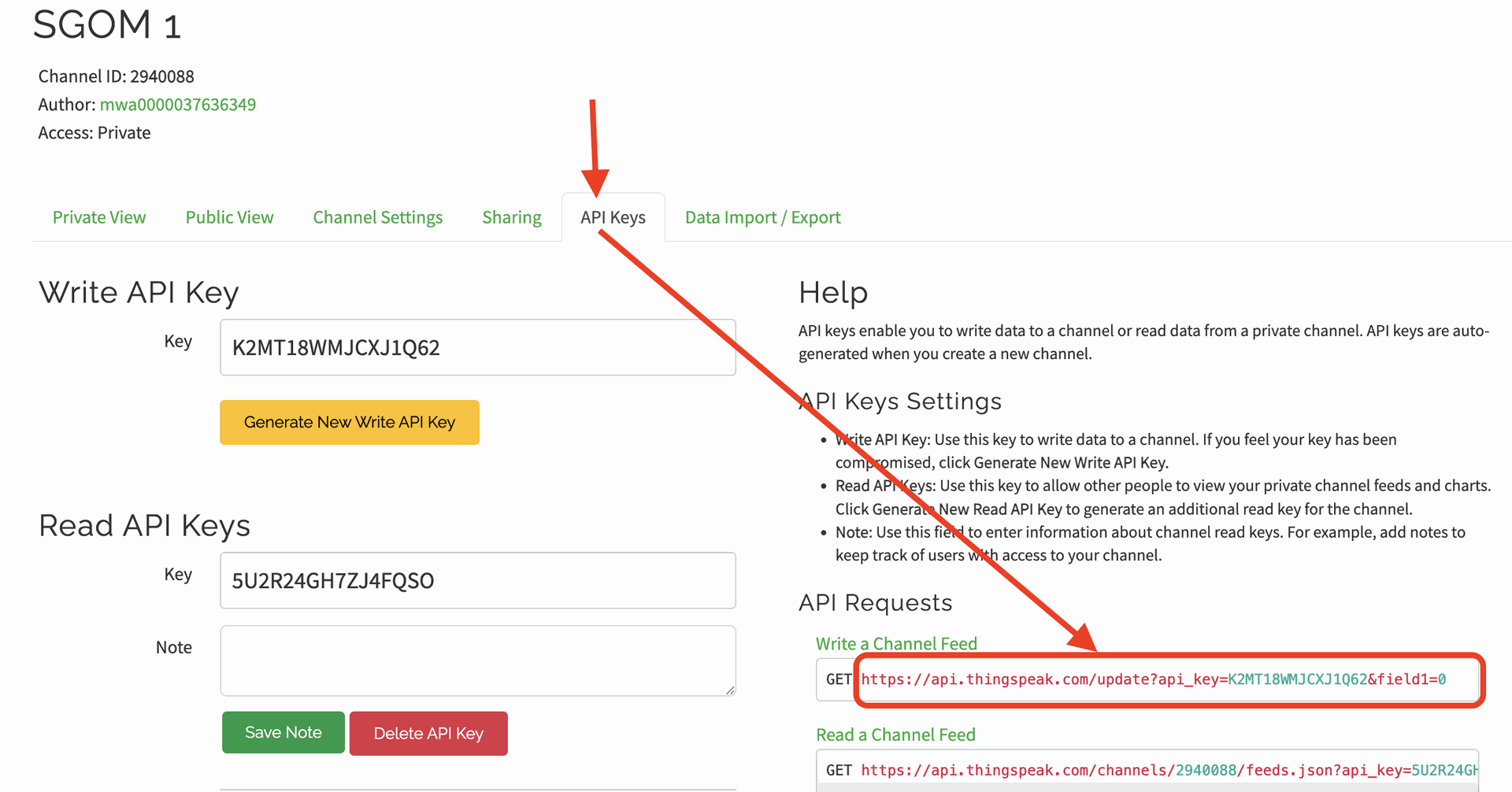
- Once done, click on API Keys tab, copy the URL API as below. The URL will be used in Messagebird flow builder.
Messagebird setup
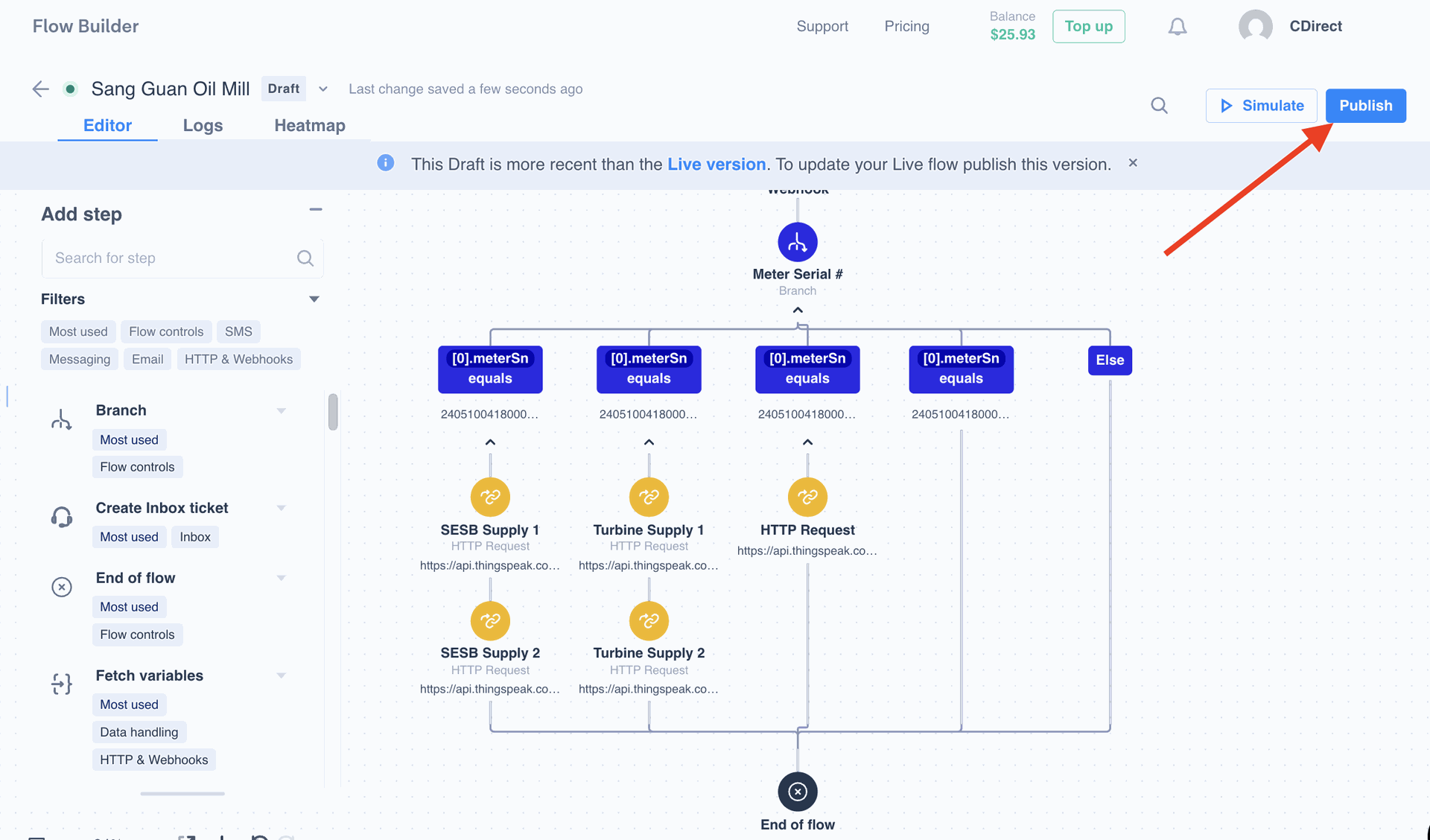
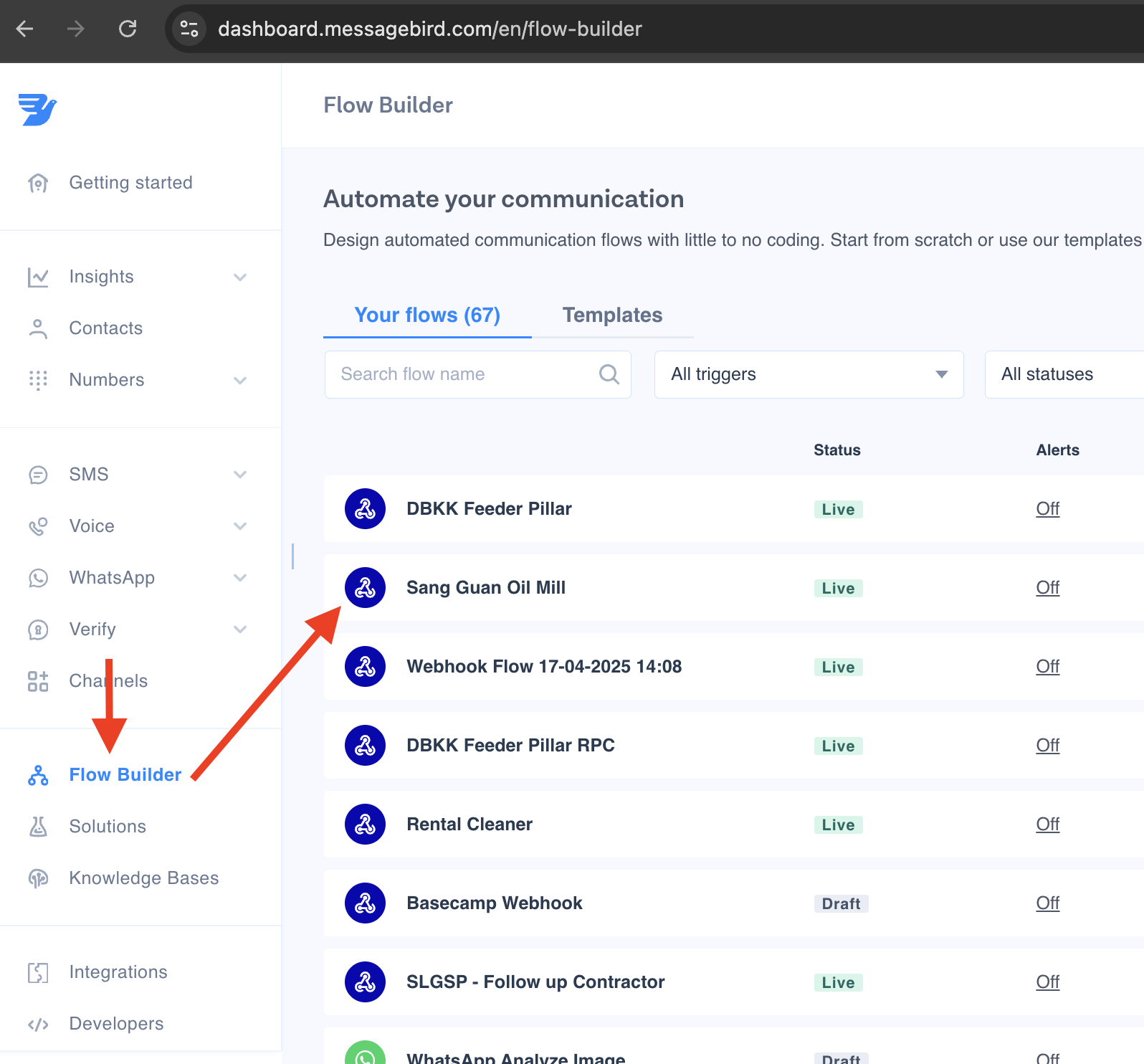
- Log in Messagebird.com, go to Flow Builder > Sang Guan Oil Mill:
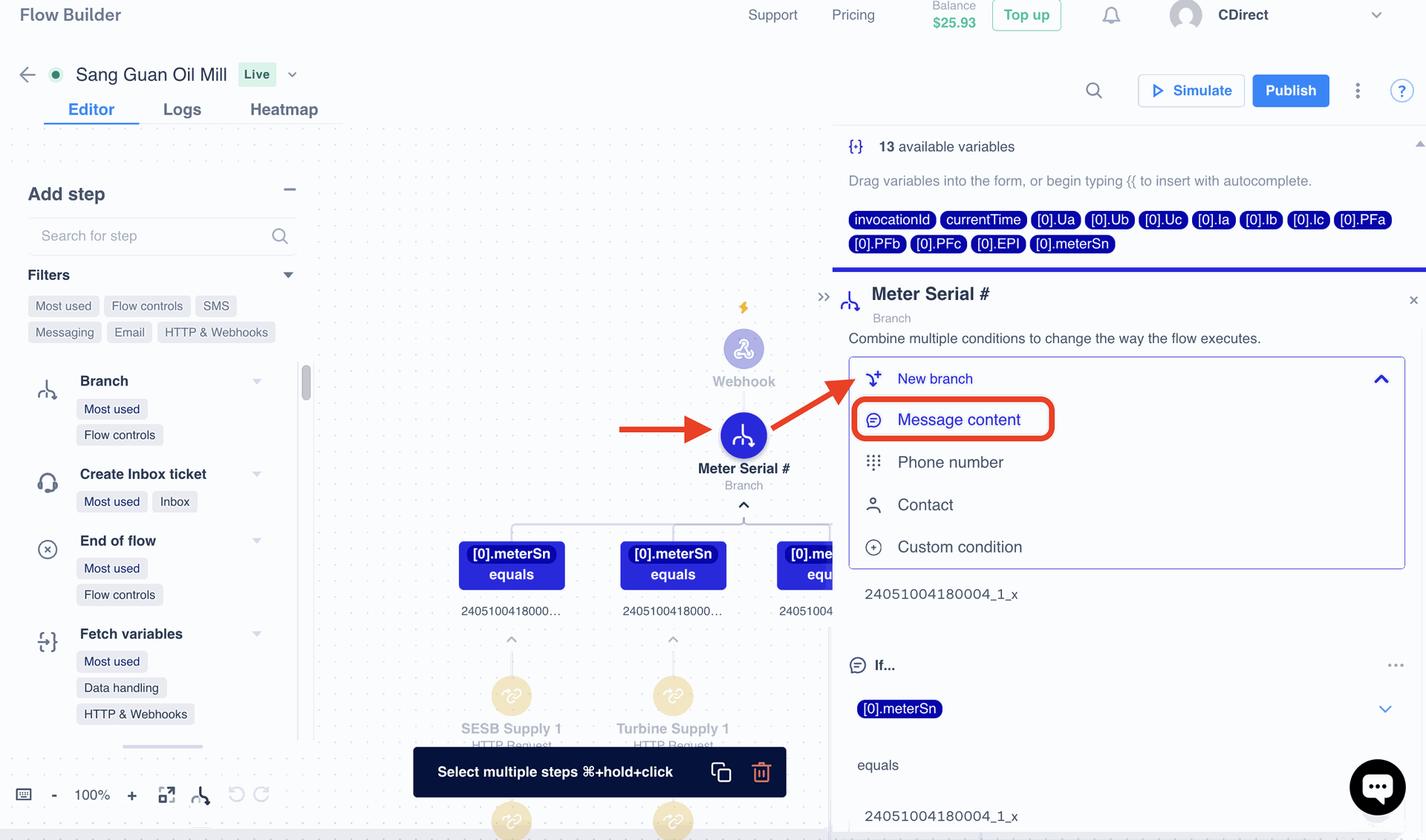
- Click on Meter Serial > New branch > Message content
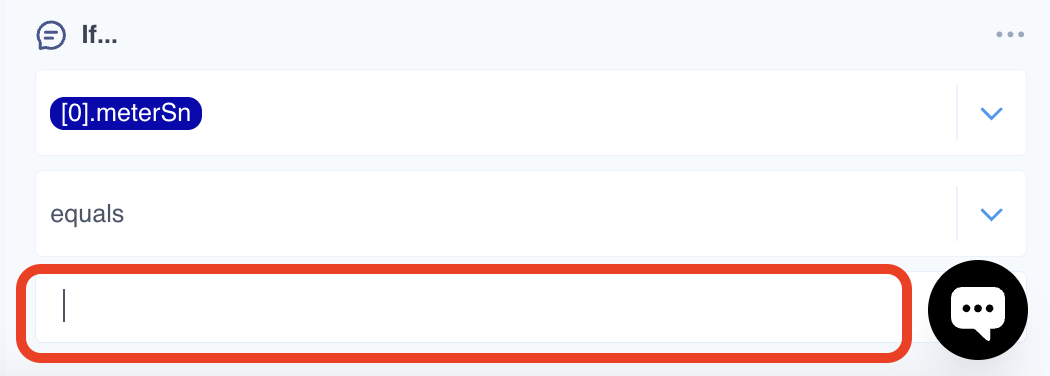
- Fill in the serial number of the meter. It can be found at yapetech.com.
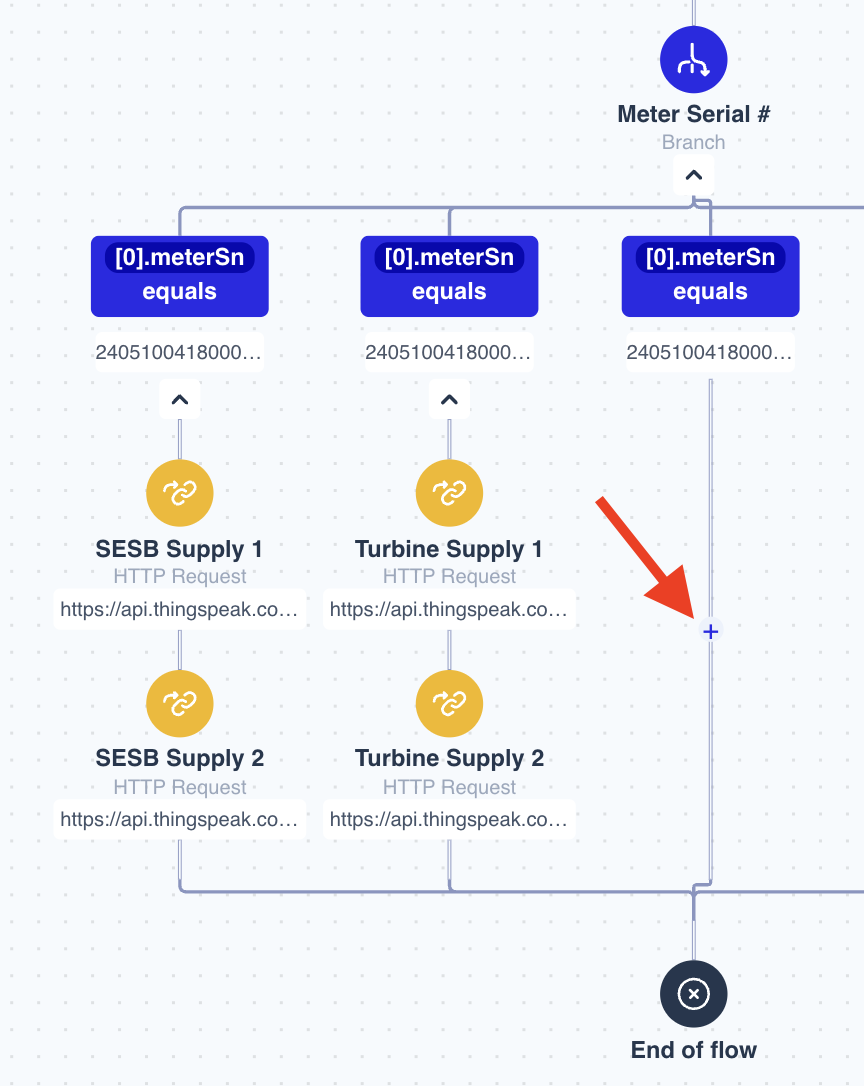
- Then, click on + button to add 'Step', search on HTTP Request Step then click on it:
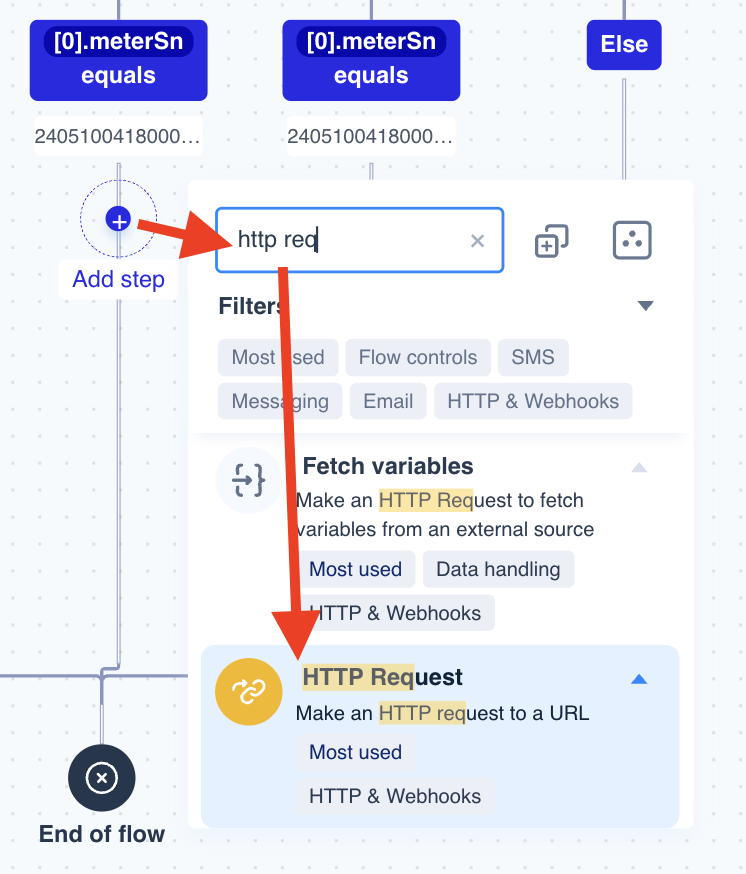
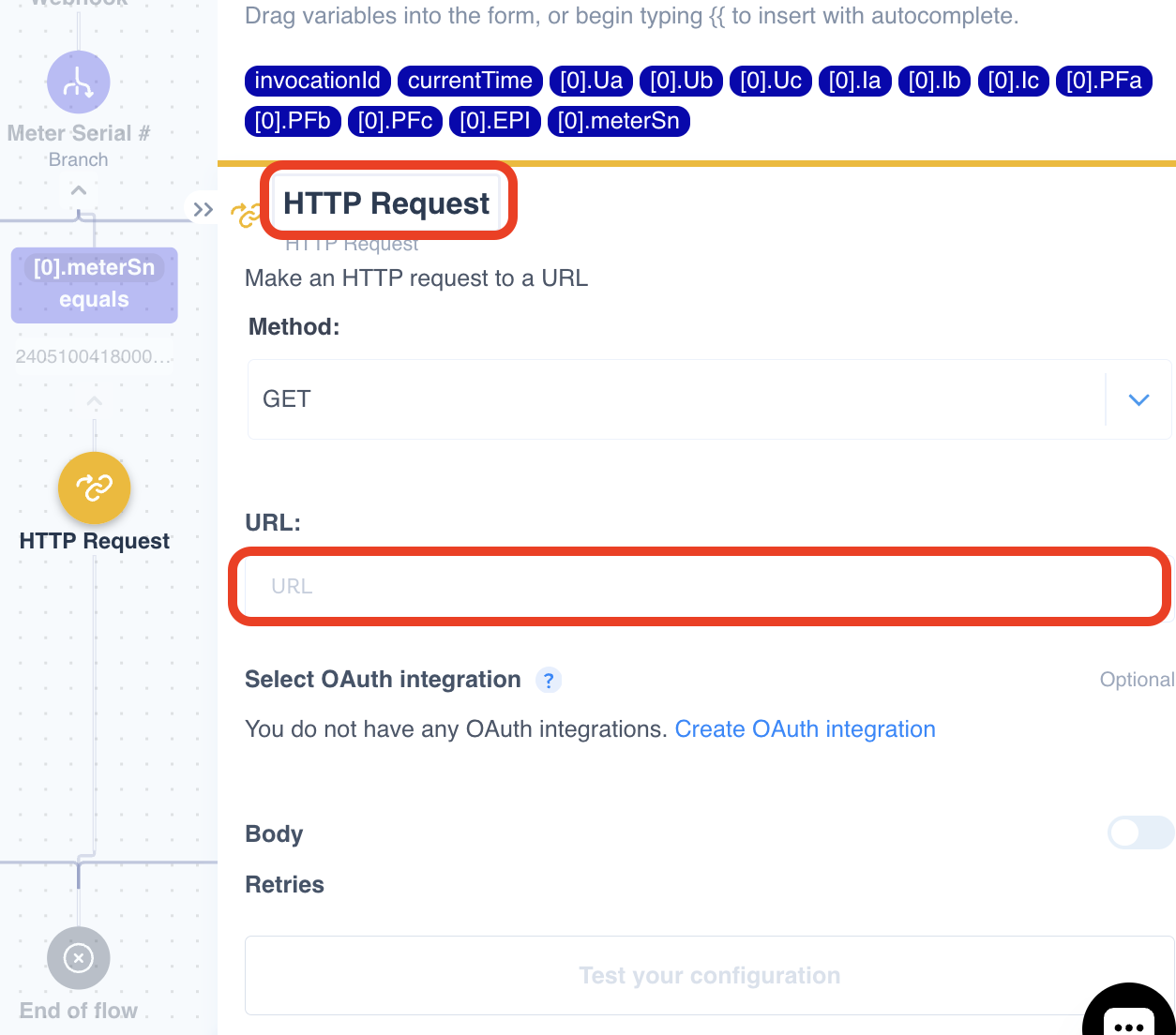
- Put the Meter name in the Http Request Step, then fill in the URL of the Thingspeak Channel API URL, example: https://api.thingspeak.com/update?api_key=K2MT18WMJCXJ1Q62&field1=.
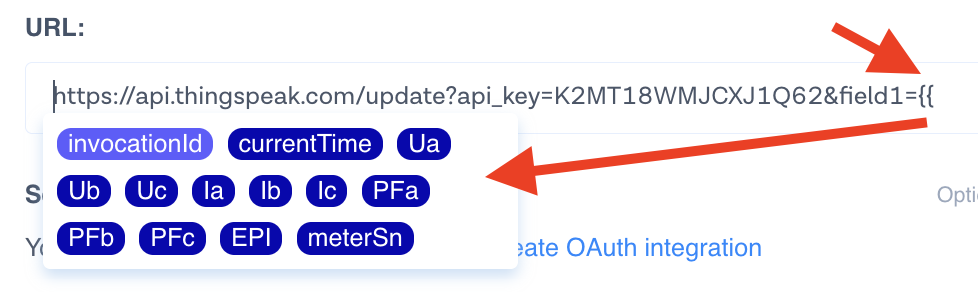
- To add the placeholder parameter, enter '{{', then select the parameter corresponds to Thingspeak Channel field.
- If all paremeter set, click on Publish button, then the data should be received by Thignspeak every 5 minutes (time interval of the device to send data)